PC turns on but no display
The case fans spin and LEDs light up, but the monitor stays blank or reports no display. Focus on whether any video path is alive before assuming the GPU or the panel is dead.
Ordered steps
-
Separate “PC powered” from “monitor powered”
Note case LEDs / fans, then look at the monitor power indicator. If the monitor has no LED at all, fix its AC path first via power, cable, and port.
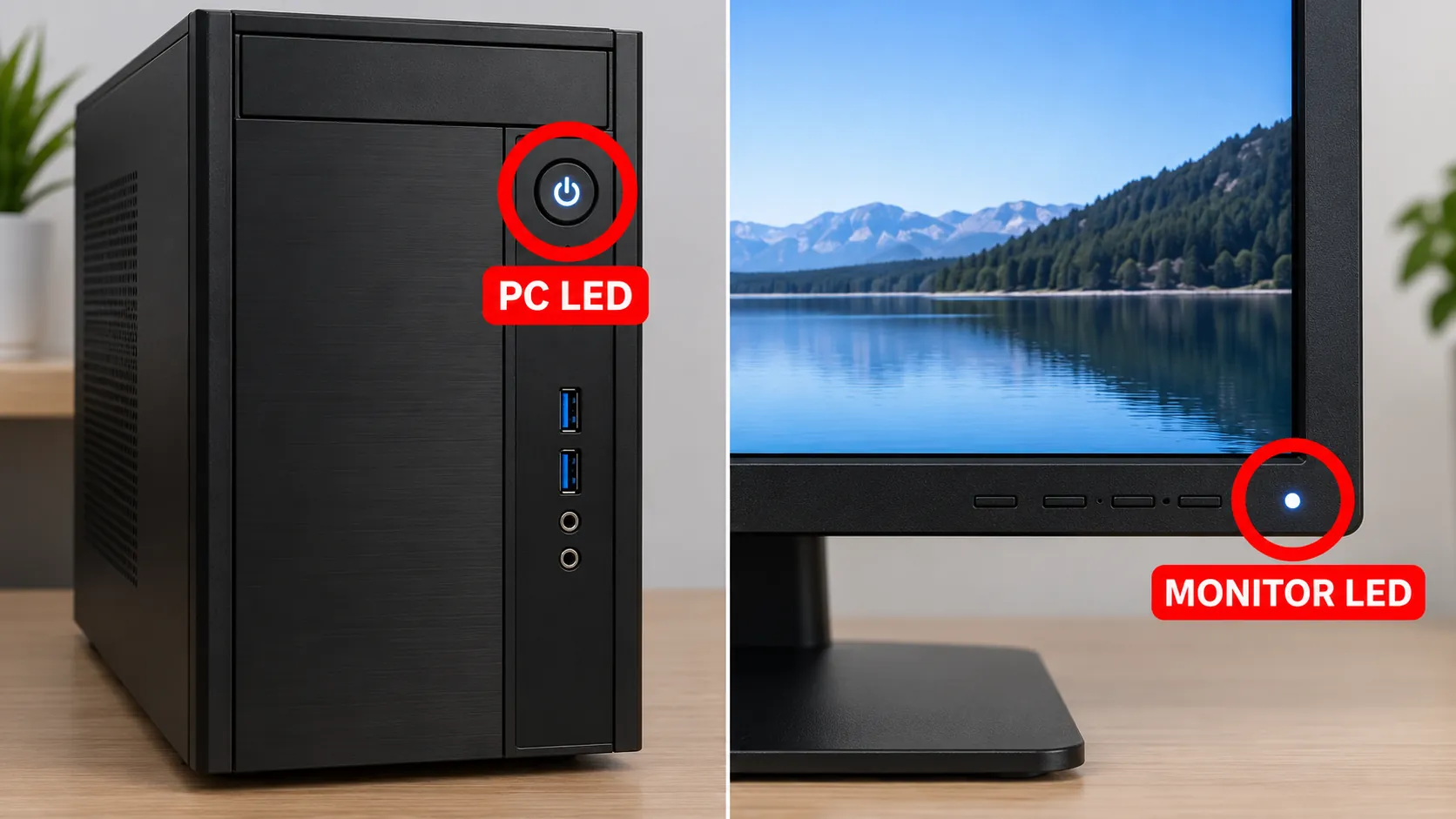
Both ends need power before video troubleshooting makes sense. -
Minimal cable path
Use one direct video cable from PC to monitor. Remove docks, KVM switches, soundbars, and adapters for this pass. Reseat both ends firmly.
-
Correct output on a discrete-GPU desktop
Move the cable to the graphics card bracket. Motherboard video ports often stay dark when a GPU is installed and the iGPU is not driving the display. See GPU vs motherboard.
-
Try Win+Ctrl+Shift+B even if the screen looks dead
If Windows may already be running (you hear the startup sound, or caps-lock toggles), press the graphics reset shortcut. Continue on graphics driver reset.
-
Cycle projection modes blindly
Press Windows + P, tap ↓ a few times, and press Enter between tries (Duplicate / Extend / Second screen only). Details: input & Win+P.
-
Listen for POST / try another display
If you never get a manufacturer logo or BIOS text on any cable or port, the fault is likely on the PC video path (GPU seating, power cables to the GPU, or memory). If another monitor works on this PC, the original panel or its cable is suspect.

Branches
Spare monitor / spare PC test
Borrow a working display or try this monitor on another computer. That single swap tells you whether to keep digging into this PC or replace/repair the panel.
FAQ
Why is my PC turning on but not displaying on my monitor?
Power to the board does not guarantee a valid video signal. Wrong rear port, dead cable, asleep monitor, or a GPU that never initializes are the usual suspects.
What to do when the PC is on but the monitor is black?
Check monitor power, reseat a known-good cable on the GPU ports, try Win+P and Win+Ctrl+Shift+B, then swap in a spare display to isolate the fault.
How to fix a monitor with no display?
Confirm its LED and OSD, test it on another source, then return to the PC path if the spare source works. Do not install random driver packs from the web.
Is this the same as the screen turning off randomly while I work?
No. Random or repeated turn-off while the session continues is a different intent. This page is for blank / no-display while the PC remains powered at boot or after a failed reconnect.
Official sources
Independent DIY troubleshooting. Prefer Microsoft and OEM support for model-specific steps. We do not sell one-click fix tools or host driver packs.